Capture overlapping views
Move around the subject and record photographs or video frames with steady coverage. Each view should share visual features with the next so the system can match them reliably.
3D capture explained
What is a realityscan? It is a photogrammetry-based workflow that uses overlapping images of a real object or place to build a digital 3D representation. RealityScan helps turn ordinary capture into geometry, texture, and a model you can inspect or export.
RealityScan is easier to understand as three connected operations: capture enough visual evidence, solve the camera positions, then build and refine the surface.
Move around the subject and record photographs or video frames with steady coverage. Each view should share visual features with the next so the system can match them reliably.
The reconstruction engine compares repeated details across images to estimate camera positions and form a sparse-to-dense representation of the subject.
Matched information becomes a mesh with optional texture detail. You can then inspect the result, clean weak areas, and send the model into another 3D workflow.
A successful RealityScan session depends more on consistent coverage than on a single perfect image.
The change is not a flat image becoming magically accurate geometry. It is a series of visual observations being combined into a spatial model.
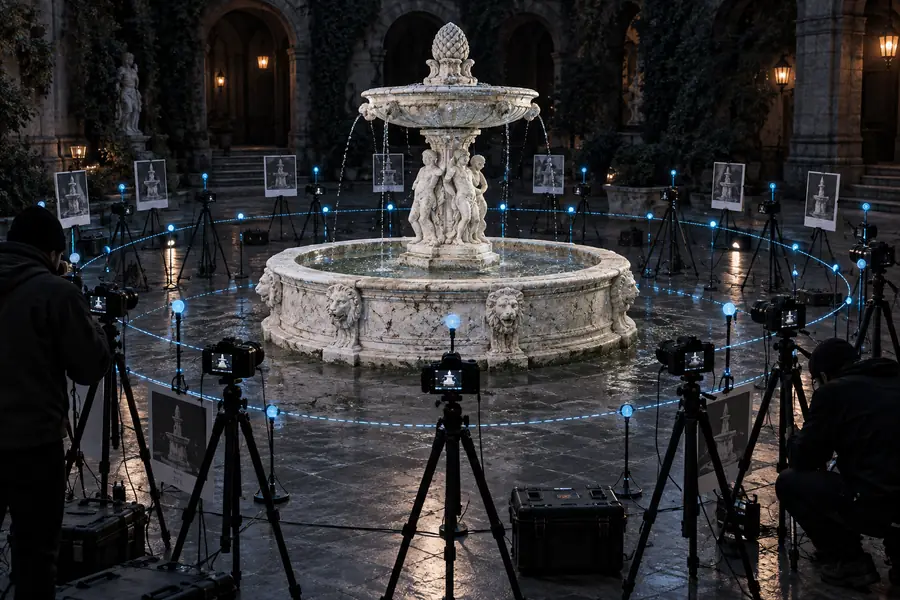
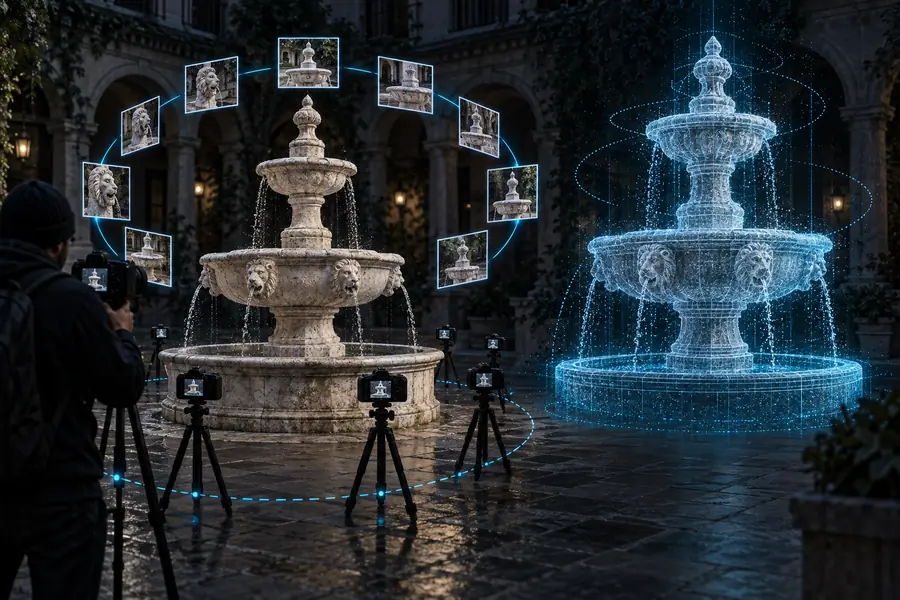
More overlap generally gives the solver more evidence to compare, while hidden or reflective areas remain difficult.
The same capture principle serves different goals, but each use case has its own standards for cleanup, scale, and accuracy.
Capture a small object, prop, or sculpted form from several angles.
Create a reference model, shareable asset, or starting point for fabrication. The guide to realityscan for 3d printing covers the extra preparation needed before a physical result.
realityscan for 3d printingUse a phone-based capture session to document an object, location, or creative subject.
Turn a quick capture into a model that can be reviewed, edited, or passed to another application. A realityscan online free workflow may suit simple browser-based processing needs.
realityscan online freeGenerate rough digital references for environments, props, or early asset development.
Reduce manual blockout time while keeping expectations realistic about topology, texture quality, and hidden surfaces. RealityScan examples show the range of subjects a scan can represent.
realityscan examplesDocument a physical subject or setting when a conventional measuring workflow is slow or impractical.
Preserve a visual record that can support inspection and discussion, provided the capture has adequate coverage and the required scale is validated.
realityscan tutorialA scan is an interpretation of captured evidence, not a direct measurement of every part of an object. This distinction matters when deciding whether the result is suitable for reference, design, or production.
RealityScan is strong at
Repeated visual detail gives the solver useful points to match.
RealityScan needs care with
Plain, glossy, transparent, or repetitive surfaces can provide weak matches.
RealityScan is strong at
Many overlapping views can produce a convincing broad form.
RealityScan needs care with
Thin edges, deep cavities, and occluded areas may be incomplete.
RealityScan is strong at
A capture can preserve a subject without modeling every feature by hand.
RealityScan needs care with
A quick capture does not automatically provide engineering-grade dimensions.
RealityScan is strong at
Images can contribute appearance information alongside geometry.
RealityScan needs care with
Uneven lighting, shadows, and motion can create visible texture defects.
RealityScan is strong at
Video can provide many frames when movement is controlled and coverage is consistent.
RealityScan needs care with
Blur, changing exposure, and unstable footage can reduce alignment quality.
RealityScan is strong at
The result can be a useful base for visualization, blocking, and reference.
RealityScan needs care with
Production use may still require retopology, cleanup, scaling, and texture work.
RealityScan is strong at
Objects, sculptures, and environments can all be approached with the same core method.
RealityScan needs care with
The best capture path depends on size, lighting, access, and the intended output.
RealityScan is a photogrammetry workflow for creating a 3D representation from overlapping photographs or video frames. It estimates the position of each view, finds matching visual features, and uses that evidence to build geometry and appearance information.
Not exactly. A 3D photo usually suggests a single viewpoint or depth effect, while RealityScan combines multiple views to reconstruct surfaces from different angles. The result can be a mesh or point-based representation that is more useful in a broader 3D workflow.
You need a subject with enough visible detail, a series of overlapping images or suitable video frames, and consistent coverage around the subject. Good lighting, controlled movement, and attention to hidden areas usually matter more than simply taking a larger number of images.
A scan can support visual reference, creative blockouts, documentation, environment work, and some 3D printing workflows after cleanup and scale checks. It should not be treated as automatically accurate for every measurement or production requirement.