Field artist
You need to capture a statue, prop, or environment while moving between locations with minimal equipment.
RealityScan is the more convenient starting point because capture can stay centered on a mobile workflow.
realityscan vs polycamComparison guide
RealityScan vs RealityCapture is mainly a choice between a streamlined capture experience and a more configurable desktop photogrammetry workflow. Use the first for accessible field capture; choose the second when detailed control matters.
Start with your working conditions, not a feature checklist. These related guides help place the comparison in a wider 3D capture workflow.
The best choice changes with the job. Match the workflow to the person, the subject, and the amount of cleanup or control required afterward.
You need to capture a statue, prop, or environment while moving between locations with minimal equipment.
RealityScan is the more convenient starting point because capture can stay centered on a mobile workflow.
realityscan vs polycamYou need repeatable alignment, deeper reconstruction controls, and a desktop environment for refining difficult datasets.
RealityCapture is usually the better fit when processing decisions and project inspection are central to the work.
realityscan vs meshroomYou are testing photogrammetry for assets without committing to a complex production pipeline on day one.
Begin with RealityScan for a lower-friction trial, then move to a desktop workflow when the project demands more control.
realityscan vs polycamYou are documenting a subject where coverage, scale, repeatability, and export quality matter more than quick capture alone.
A RealityCapture-centered process can provide the inspection and processing depth needed for structured documentation.
realityscan vs meshroomA simple migration path keeps the comparison practical: capture quickly, inspect the result, then add desktop control only when the project earns that complexity.
Use consistent lighting, overlap, and walking distance. Test a small object or scene before committing to a large dataset.
Check holes, soft geometry, alignment, and texture coverage. Separate capture problems from processing problems before changing tools.
Keep the mobile route for fast field work, or shift the project into a desktop workflow when alignment, cleanup, and repeatability become limiting.
The visual difference is less about a completely different idea of photogrammetry and more about how much of the process is exposed to the operator.
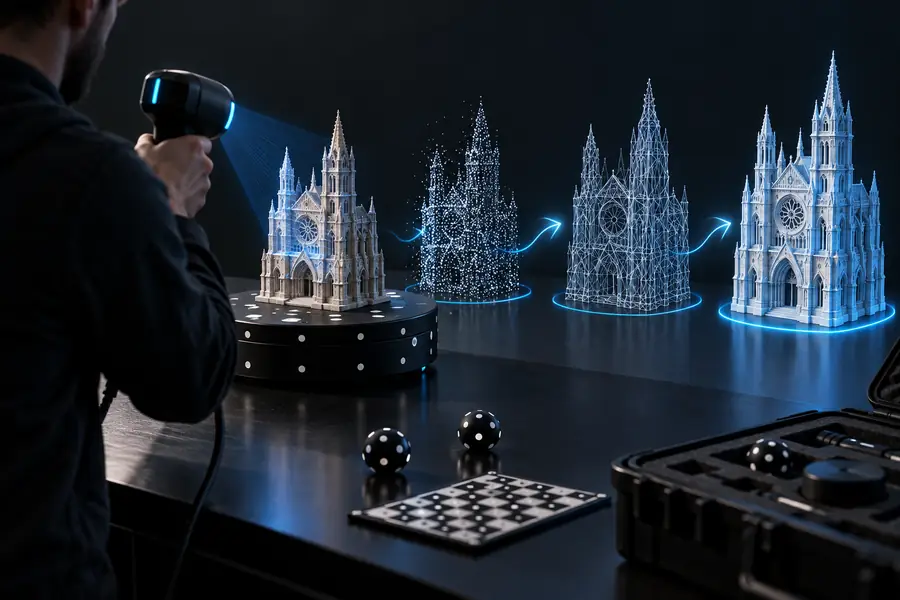
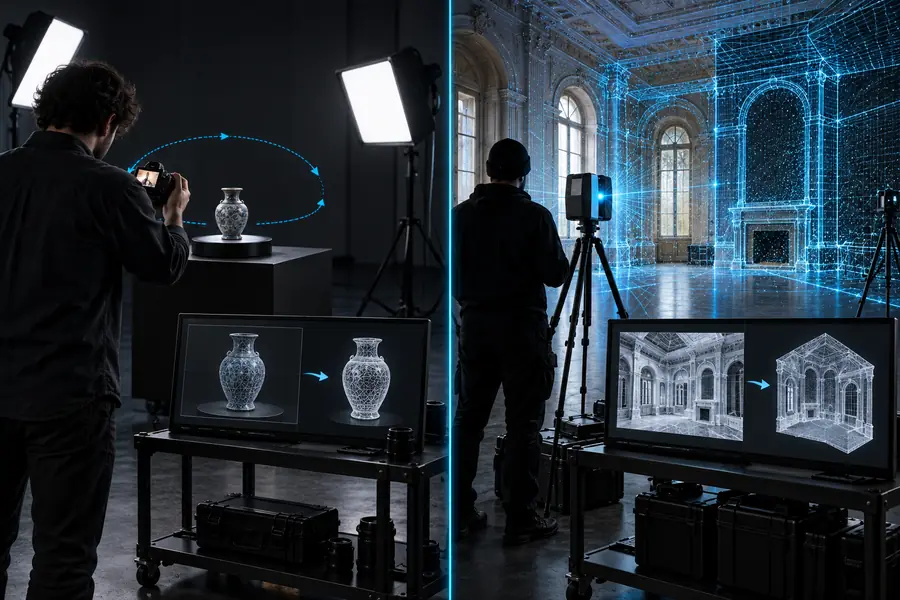
Both routes depend on good source imagery and sufficient overlap. The practical differences appear in where capture happens, how much processing control is available, and how easily a team can inspect each stage.
RealityScan
Mobile and capture-led
RealityCapture
Desktop and processing-led
RealityScan
Strong for portable, in-field work
RealityCapture
More equipment and setup may be involved
RealityScan
Streamlined choices and fewer exposed settings
RealityCapture
Broader control over reconstruction and project decisions
RealityScan
Easier to begin with a guided capture mindset
RealityCapture
More to learn before a repeatable advanced workflow
RealityScan
Useful for quick checks and immediate iteration
RealityCapture
Better suited to detailed desktop review
RealityScan
Best approached in manageable capture sessions
RealityCapture
Better suited to structured, demanding processing workflows
RealityScan
Concepts, field references, objects, and rapid tests
RealityCapture
Production assets, documentation, and controlled reconstruction
RealityScan
Good starting point for a lightweight workflow
RealityCapture
Stronger fit where multiple processing decisions must be preserved
These are workflow signals rather than claims of universal performance. They summarize how the two routes feel when you compare setup, control, portability, and iteration.
A comparison is useful only when it names the failure points. Neither application can recover information that was never captured clearly.
Neither workflow can reliably reconstruct hidden surfaces, thin edges, or areas with too little image overlap.
WorkaroundPlan a complete orbit, add elevated or underside views, and reshoot gaps instead of relying on cleanup.
Glossy, transparent, and textureless materials can confuse feature matching in both mobile and desktop workflows.
WorkaroundUse temporary matte treatment where appropriate, control reflections, or capture a proxy surface.
Both routes may still require hole filling, mesh cleanup, texture correction, scaling, and export checks.
WorkaroundDefine the final use first and reserve time for a cleanup pass before delivery.
More settings and processing control cannot fully compensate for motion blur, changing light, or inconsistent camera distance.
WorkaroundImprove capture discipline before increasing processing complexity.
The key differences are easiest to understand when the question is tied to a real workflow decision.
RealityScan is oriented toward accessible, capture-first work, especially when portability and a quick start matter. RealityCapture is oriented toward a more configurable desktop photogrammetry process with deeper inspection and processing control.
They belong to the same broader photogrammetry family, but they are not interchangeable experiences. RealityScan emphasizes streamlined capture, while RealityCapture gives the operator more room to manage and refine a desktop reconstruction workflow.
Choose RealityScan when the priority is learning capture fundamentals with less setup and fewer decisions. Choose RealityCapture when the beginner is specifically learning desktop photogrammetry and expects to work with more involved projects.
Yes, that is a sensible progression when a quick field workflow reaches its limits. Capture carefully, preserve the source imagery and project information available to you, then test the desktop route on a representative dataset before changing an entire pipeline.
There is no universal winner: RealityScan can be effective for portable references, rapid concepts, and field capture, while RealityCapture is generally better suited to projects requiring extensive desktop control. The right choice depends on required accuracy, scale, review depth, and the team's processing experience.